Anúncios
Physical tags for file folders let professionals respond fast to requests. They cut search time and reduce stress in both work and home settings. Clear markings make retrieval simple and save precious minutes each day.
Compact thermal devices such as the Seiko Smart Label Printer 620 deliver 200 dpi clarity for crisp, legible output. Because thermal models use heat instead of ink, they lower running costs and offer reliable long-term value.
Integrating a dependable label maker into a daily routine makes hybrid workflows more efficient. Small business owners and remote professionals can categorize files, boxes, and inventory with consistent formats and sizes. That consistency supports faster retrieval and steadier workflow.
Teams seeking automated sorting and fewer manual steps can explore software-driven solutions to link prints directly to business systems. For one example of how systems boost accuracy and efficiency, see label management software.
The Role of Label Printers in Modern Hybrid Workflows
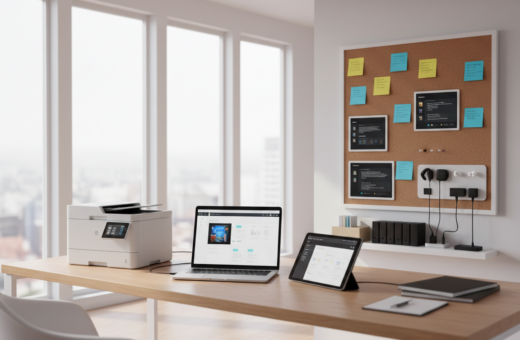
Portable label devices act as a practical bridge between physical storage and digital workflows. They make it simple to mark boxes, binders, and shelves so teams spend less time searching and more time working.
Anúncios
The best label maker for mixed setups gives consistent output across paper and digital tags. Small business owners and remote professionals use these tools to track inventory, supplies, and archived files with accuracy.
Customization matters. The best label options offer a variety of fonts, colors, and sizes so labels fit both function and style.
Many makers are compact and move easily between rooms. That portability means a single device can service a pantry, an office shelf, or a storage closet without extra setup.
Anúncios
- Uniform labels reduce search time and human error.
- High-quality makers save time during daily operations.
- Consistent use keeps physical files clearly marked for hybrid workflows.
Essential Features for Label Printer Home Document Organization
Practical features determine how smoothly a device supports daily filing and storage tasks. The right mix of connectivity, entry methods, and template options saves time and reduces mistakes.
Connectivity Options
USB and smartphone app links let users design on a computer or phone, then print quickly. This is helpful for complex layouts and syncing saved templates.
Portable units often run on batteries for room-to-room use. The Brother PT-D210, priced around $55, needs six AAA cells and includes a QWERTY keyboard to speed text entry.
Customization and Templates
Built-in templates and editable fonts give a variety of sizes and color choices. The DYMO LabelManager 160 is a budget-friendly option near $45 for those who want simple, reliable output.
- Quick entry: QWERTY keyboard for ease and fewer typos.
- Design options: fonts, symbols, and tape choices for durable results.
- Templates: preloaded layouts save time and ensure consistent style.
Top Thermal Label Printer Models for Professional Filing
Top thermal options offer different trade-offs between print rate, sharpness, and connectivity. This short guide highlights models that suit filing, shipping, and integrated workflows.
High resolution and fast throughput are core factors when choosing a label maker for business use. The Seiko SLP 650SE delivers 300 dpi and both USB and serial ports for legacy systems, while the Brother QL-800 pairs 300 x 600 dpi with up to 93 labels per minute for heavy workloads.
High-Speed Shipping Solutions
For mailing and e-commerce, speed matters. The DYMO LabelWriter 550 prints about 62 labels per minute and uses Automatic Label Recognition to cut waste. The DYMO 5XL supports 4×6 shipping sizes and links via USB to common platforms for smoother dispatch.
Compact Desktop Printers
Small offices often need a compact maker with clear output. The Seiko SLP 620 offers 200 dpi at an affordable price ($113) and fits tight workspaces. These models provide the best balance of value and footprint for light to moderate use.
Professional Integration
Integration is essential for systems that rely on a computer or inventory software. Look for USB or serial ports and verified drivers. When comparing models, weigh speed, resolution, supported sizes, and overall value to match specific business needs.
- Consider: print speed, resolution, and connectivity as primary factors.
- Check: supported sizes and tape options for intended use.
- Evaluate: price versus long-term value and genuine supplies to avoid waste.
Handheld Label Makers for Versatile Home Use
The best label maker for mixed living and work spaces balances portability, ease, and durable output. Small, battery-powered units let users tag jars, shelves, and craft bins without fuss.
Portability and Ease of Use
Portability and Ease of Use
The Brother PT-E310BTVP pairs a QWERTY keyboard with Bluetooth and USB-C. It supports tape widths from 3.5mm to 18mm and works well in busy settings where speed matters.
The MUNBYN option is beginner-friendly and prints durable, waterproof labels. Enter code MY06 for a discount on many kits.
“Portability turns chores into quick tasks.”
- Battery power frees users to move the maker room-to-room.
- An app and smartphone link enable templates, symbols, and color choices.
- Touch or backlit displays help beginners design clean tags fast.
Critical Factors for Evaluating Print Quality and Durability
High-resolution output and rugged materials are the twin pillars of lasting labeling.
Print clarity matters first. A good label maker must produce crisp text and scannable barcodes so tags stay useful over time.
Durability follows. For items used in kitchens or garages, choose labels that resist moisture, heat, and smudging. That keeps your system reliable.
Check the cost of replacement label tape and the device’s build quality. A sturdy maker can deliver better long-term value than a cheap model with high consumable costs.
Maintenance affects performance. On a thermal label printer, keep the print head clean to avoid streaks and poor contrast.
- Look for: smudge-proof, fade-resistant materials.
- Prefer: automatic cutters and consistent feeds for neat results.
- Support: multiple sizes, colors, fonts, and symbols for flexible use.
“Consistent printing performance gives users the confidence that their labels will remain legible and in place.”
Final Thoughts on Selecting Your Ideal Labeling Tool
A practical maker saves time when it fits the user’s routine and supply needs.
Selecting the best label maker means weighing portability, connectivity, and tape availability against price and long-term value.
Whether choosing a simple handheld unit or a higher-end thermal model, users should compare products and features that match their daily use.
One clear rule: pick the tool that reduces steps and fits into current workflows. That choice often delivers the most lasting benefit.
With careful comparison of models and options, finding the best label makers becomes a straightforward path to better order and less time wasted.